
Import from your broker
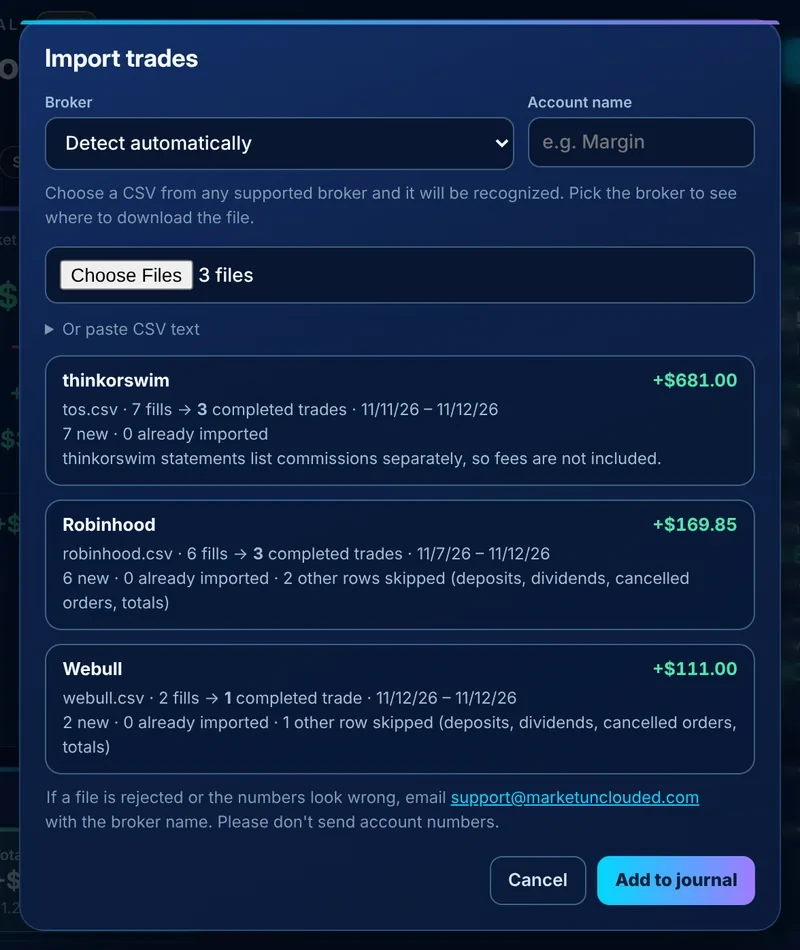
Robinhood, Schwab, thinkorswim, Webull, Fidelity, E*Trade and Interactive Brokers exports, recognized automatically. Re-importing never double-counts a trade.
The trading journal for day traders. Import your broker's trade history and Unclouded Journal matches every buy with its sell, works out your real P&L, and shows where your edge is: by setup, ticker, day of the week and the time you trade.
Already a subscriber? Open the journal. New here? Read the user guide (PDF) →
$19 a month or $190 a year after a 14-day free trial. Your trades stay in your browser. Screens show sample data. Unclouded Journal is a record-keeping and review tool, not investment advice.
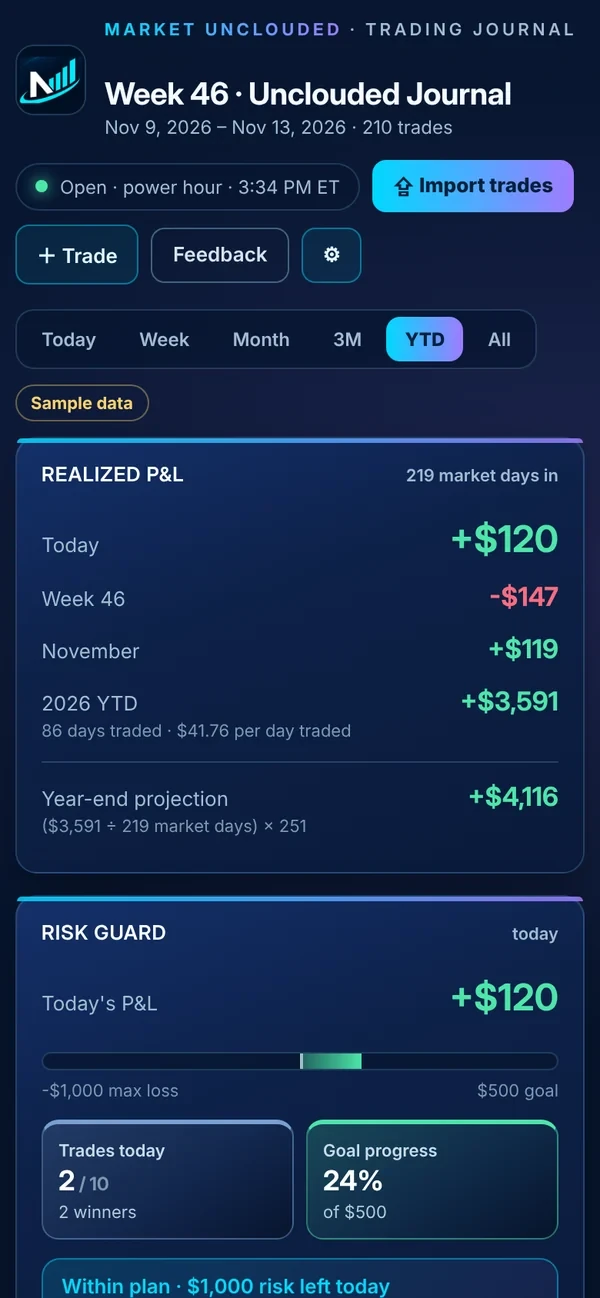
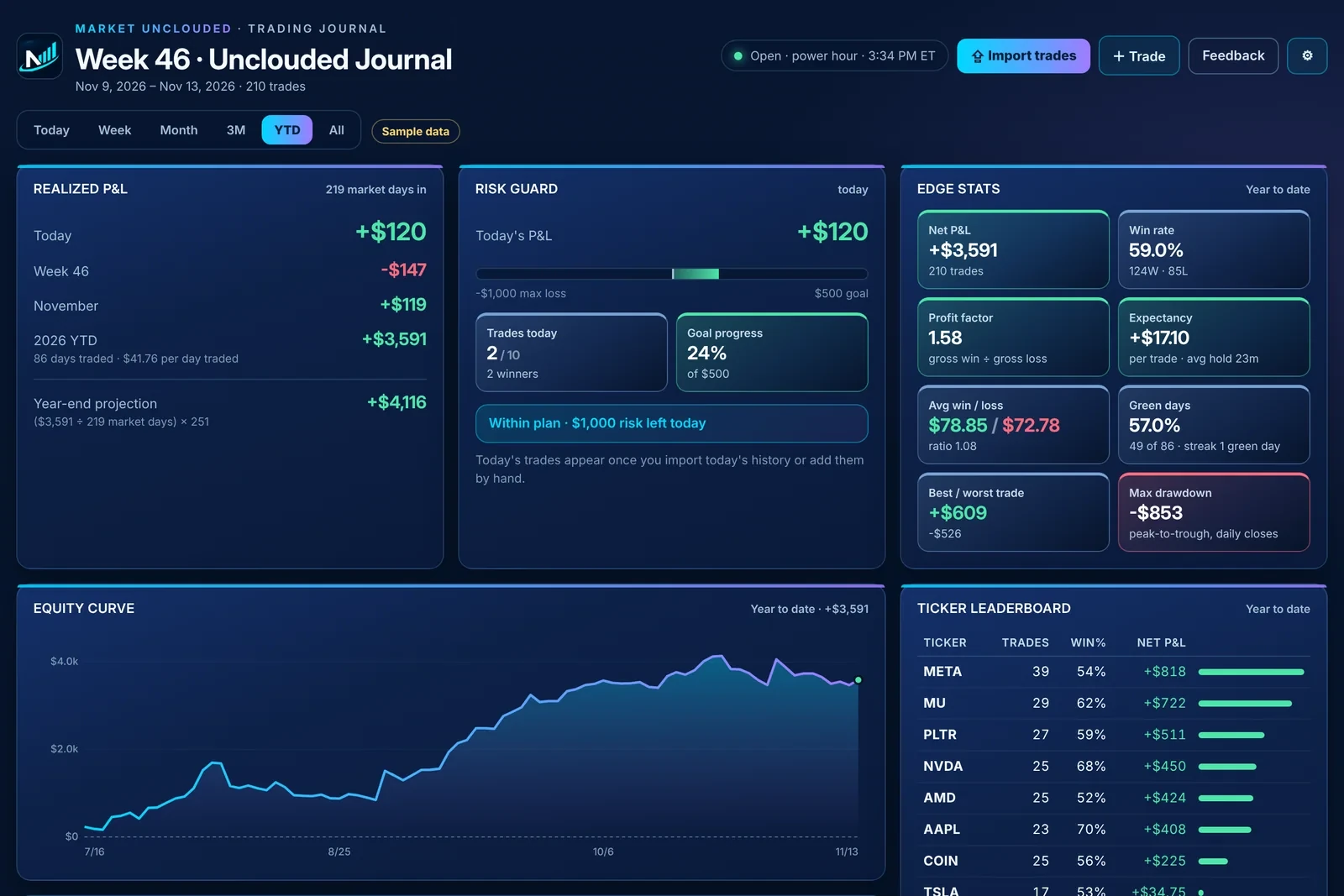
Every chart and table updates from your own trades. Pick today, this week, this month, the year or all time.
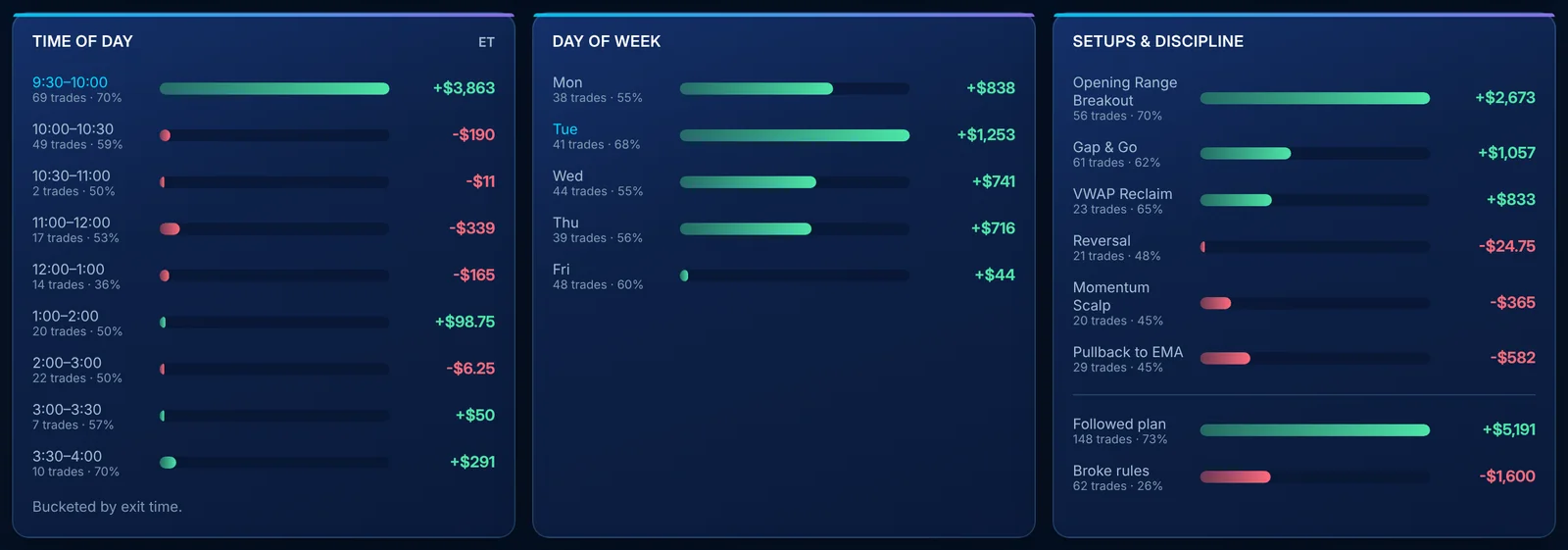
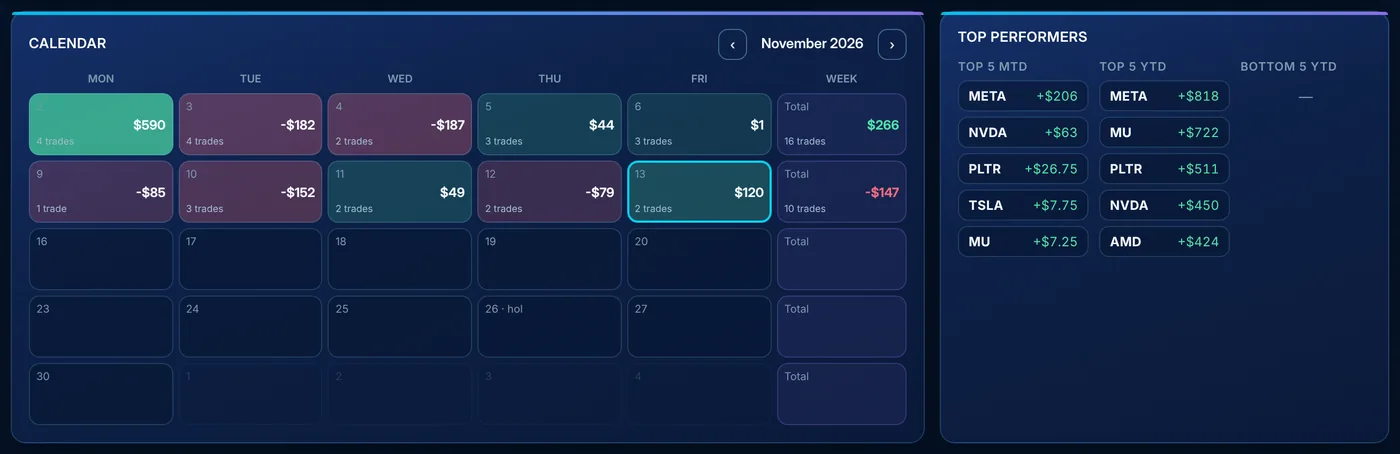
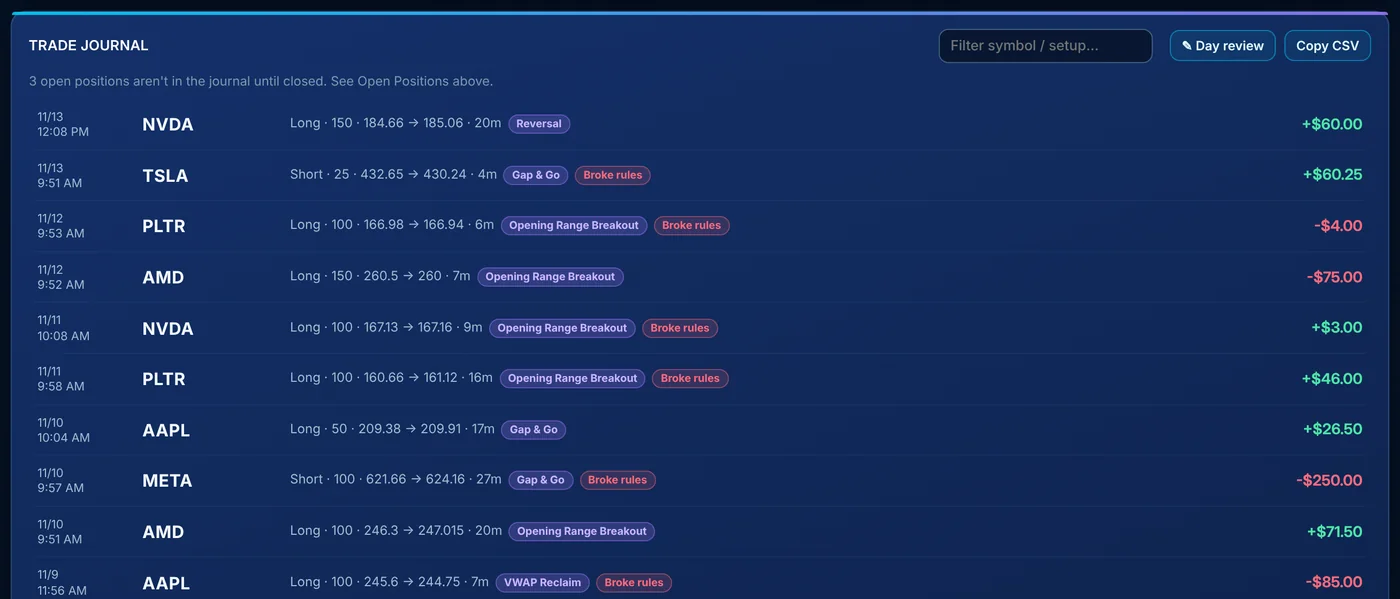
A few of the things Unclouded Journal shows you while you trade and after the close.
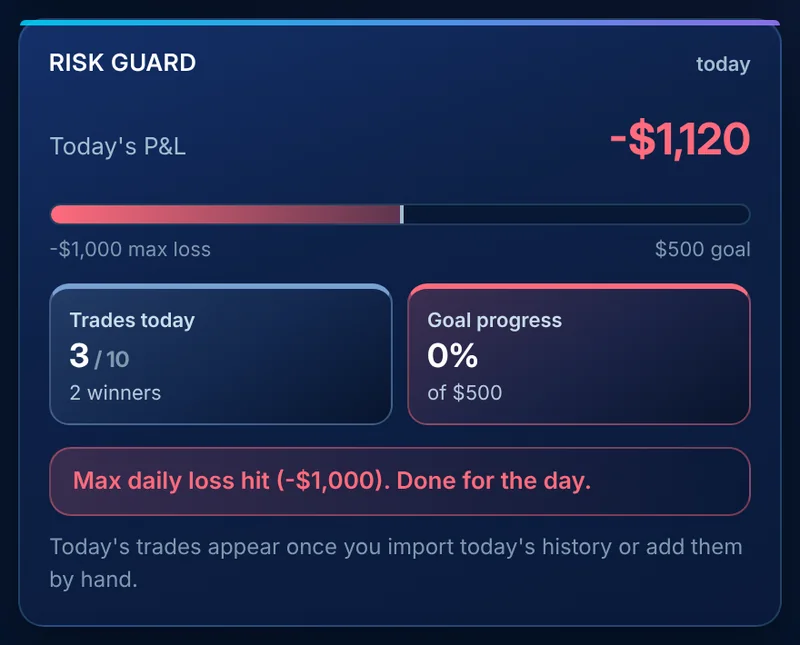
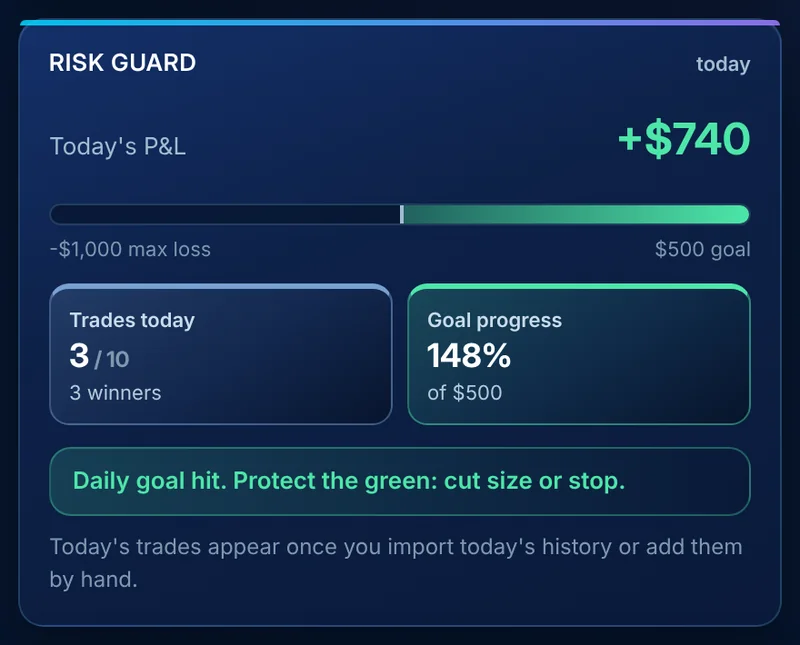
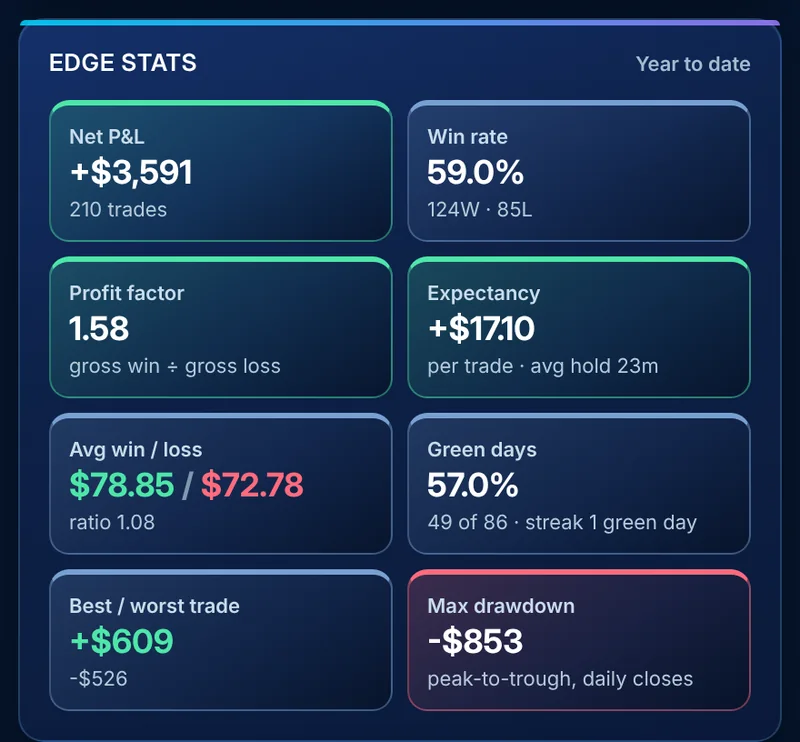
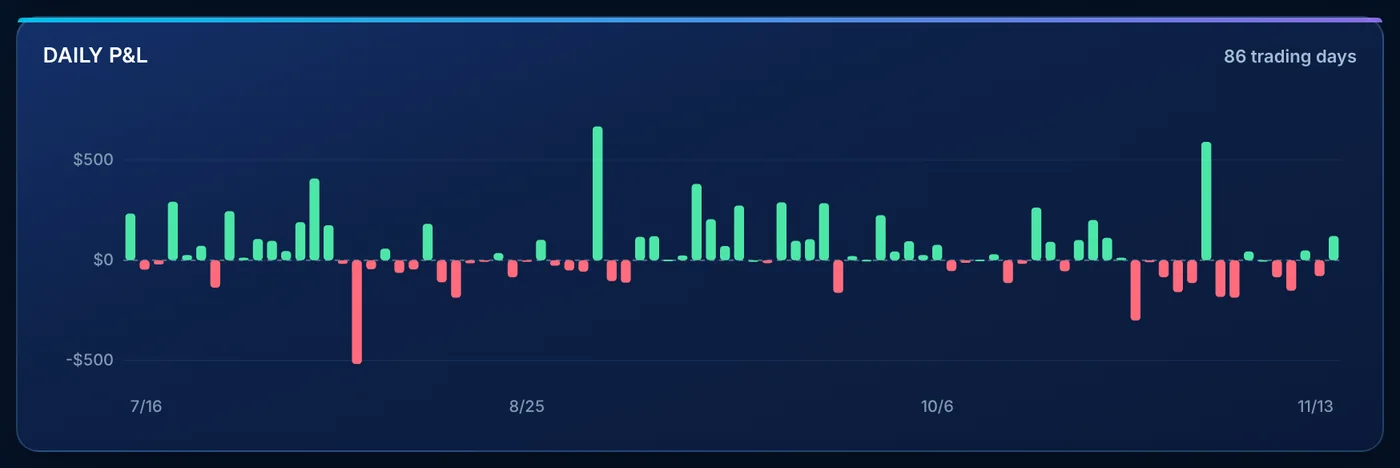
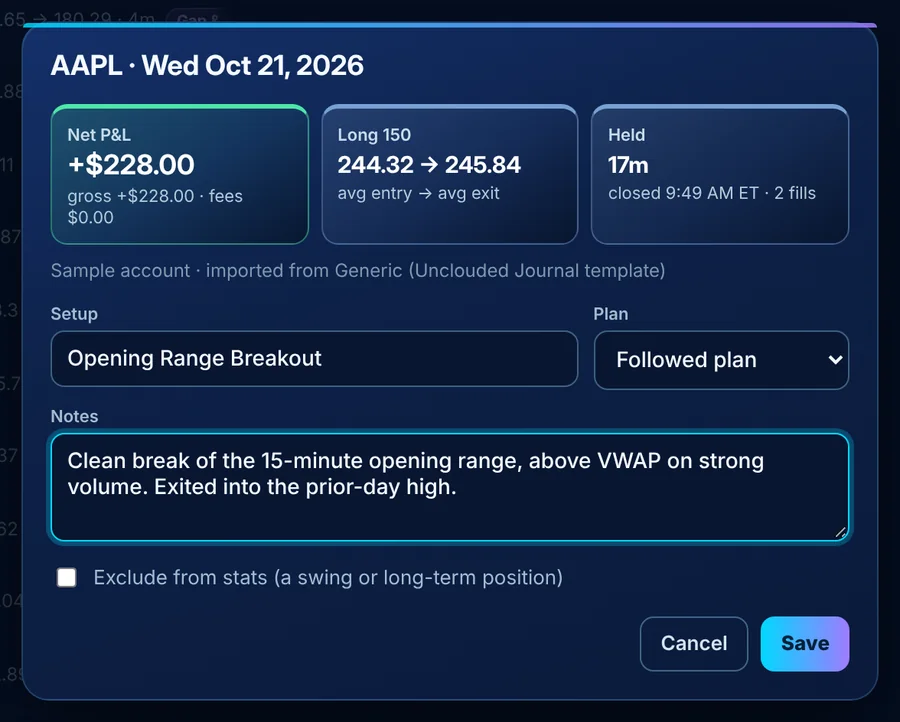
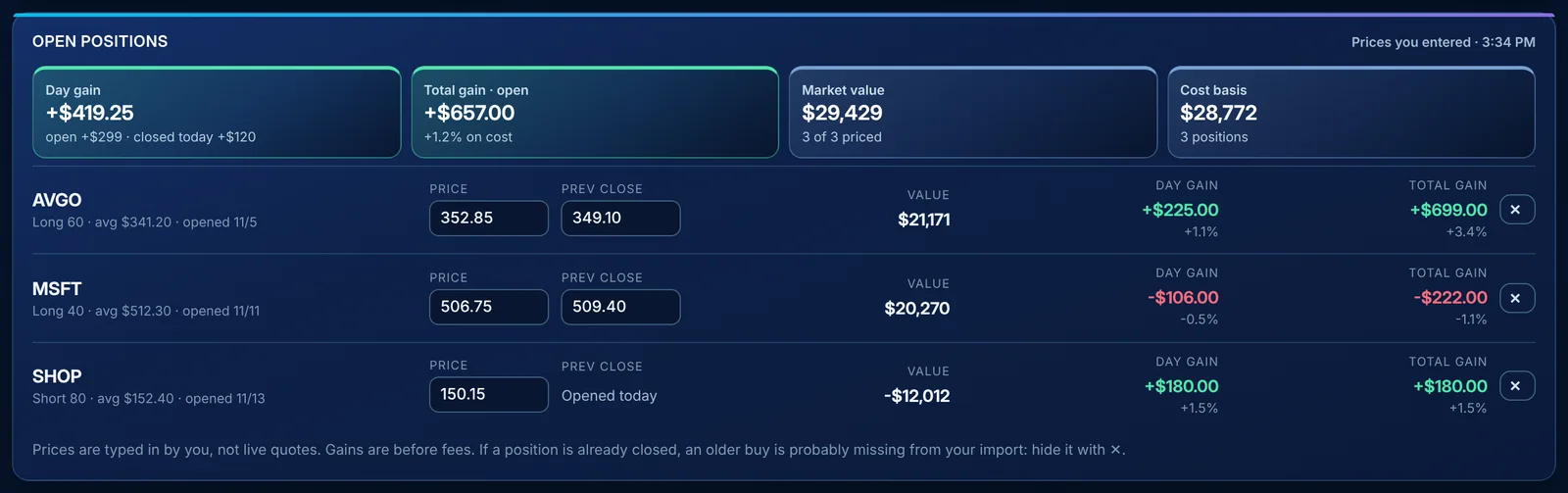
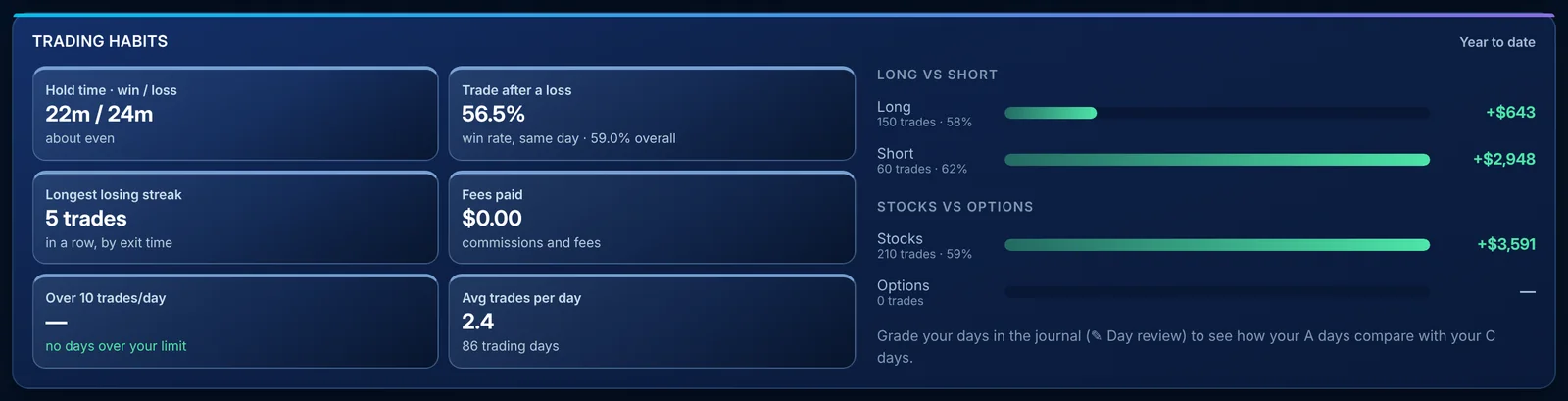
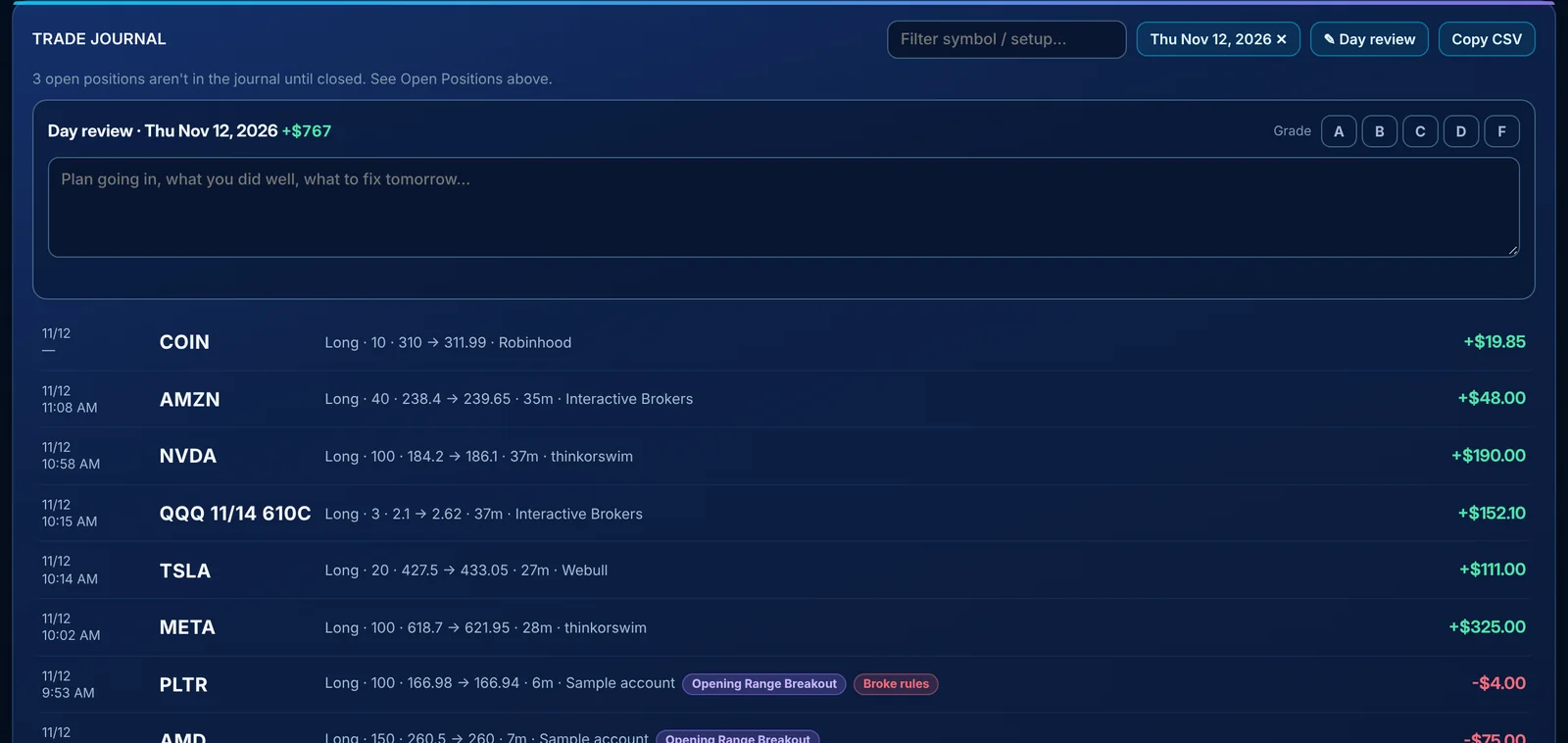
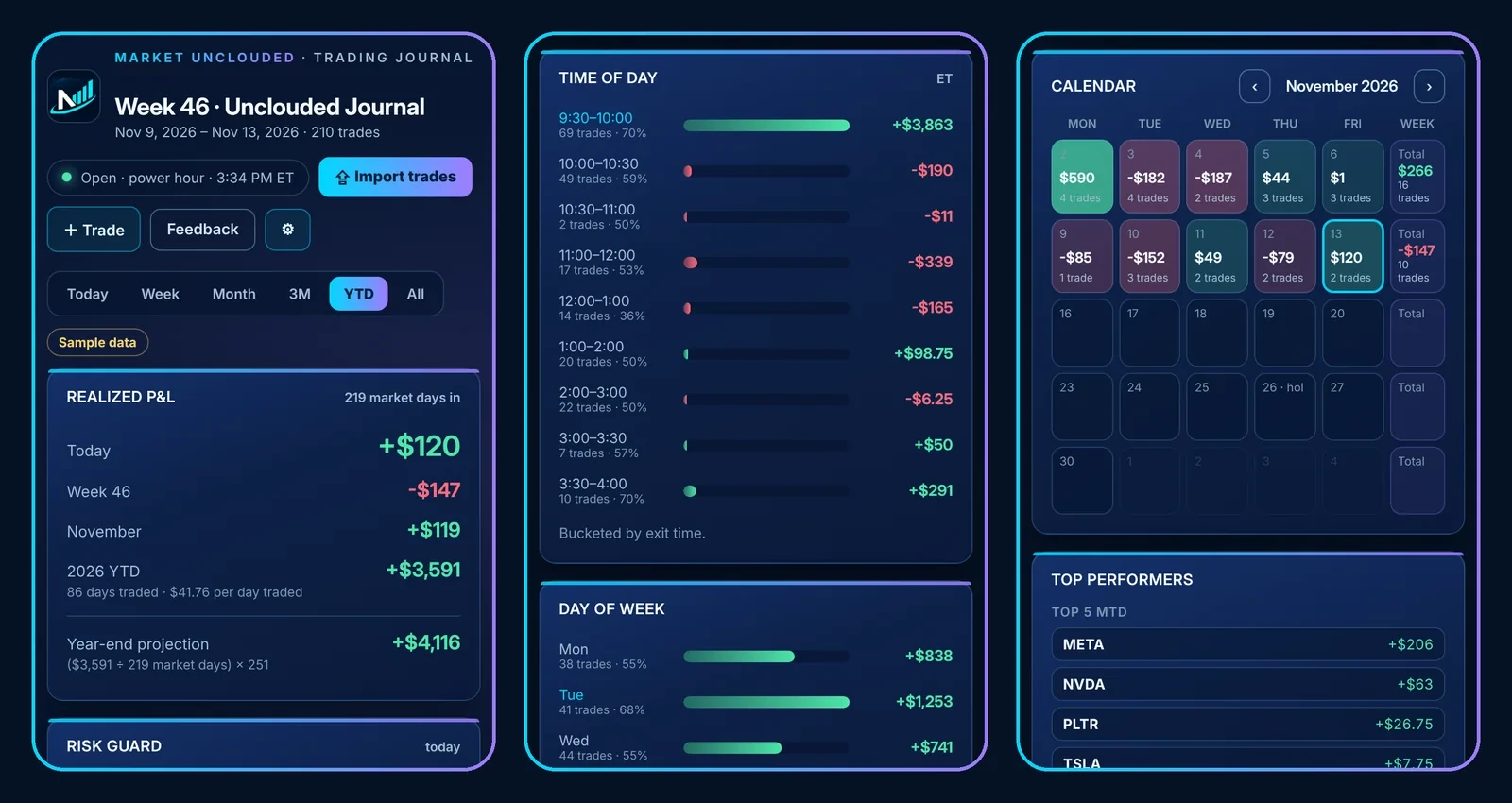
All screens show a sample account generated for illustration. They are not real trading results.
No spreadsheets, no formulas. Import your trades and the numbers are done.
Robinhood, Schwab, thinkorswim, Webull, Fidelity, E*Trade and Interactive Brokers exports, recognized automatically. Re-importing never double-counts a trade.
Buys and sells are paired first-in, first-out into complete trades, including scale-ins, partial exits, shorts, options and expirations, with fees taken out.
Win rate, profit factor, expectancy, average win against average loss, green-day rate, streaks and max drawdown for any date range.
See which half hour, weekday, ticker and setup makes money, and what following your plan is worth in dollars.
Set a daily goal, a max loss and a trade limit. Unclouded Journal shows how much risk is left today and tells you when to stop.
Your trades stay in your own browser, not on our servers. Download a backup file any time and restore it on another device.
Works with the CSV files your broker already lets you download.
Download your trade or account history from your broker as a CSV file. Unclouded Journal shows where to find it for each broker.
Drop the file in. Fills are matched into completed trades and anything already imported is skipped.
Label each trade with its setup and whether you followed your plan. Add notes while the trade is fresh.
See your P&L, your best window of the day and your best setups, and cut what isn't working.
Unclouded Journal recognizes each broker's export automatically. No reformatting.
Account activity report (CSV)
Transaction history (CSV)
Account Statement (CSV)
Order history (CSV)
Account history (CSV)
Transactions (CSV)
Flex Query trades (CSV)
Unclouded Journal CSV template
"Time of day" means the export includes the time of each fill, which the time-of-day view uses. Other exports list dates only; those trades count everywhere else. Broker names are trademarks of their owners. Market Unclouded is not affiliated with or endorsed by any broker.
The Stock Trading Masterclass and Trading the Open teach the setups. Unclouded Journal shows whether they're working for you, trade by trade, so you know what to keep and what to cut.
Unclouded Journal is a record-keeping and review tool, so check your first import against your broker statement. It does not place trades, give signals or personalized advice.
Unclouded Journal is a trading journal and trade tracker built for day traders. Import your broker's CSV and it pairs every buy with its sell, works out your real P&L after fees, and breaks your results down by setup, ticker, day of the week and time of day.
Robinhood, Charles Schwab, thinkorswim, Webull, Fidelity, E*Trade and Interactive Brokers exports are recognized automatically. Any other broker works through a simple CSV template with date, symbol, side, quantity and price columns. Step-by-step import guides: Robinhood, thinkorswim & Schwab, Webull.
Yes. Option contracts from each supported broker are read from the export, so a trade like SPY 690C shows as its own contract with its own P&L, alongside your stock trades. Open option positions show the expiration date and days left, short options are supported, and a contract that expired worthless can be closed at $0 with one click.
No. You download your trade history from your broker and import the file. Unclouded Journal never asks for your broker login, and your trades are stored in your own browser, not uploaded to our servers.
A spreadsheet only shows what you type in. Unclouded Journal reads your broker's fills, matches entries to exits first-in, first-out, skips duplicates when you re-import, and builds the win rate, profit factor, expectancy, calendar, equity curve and time-of-day stats for you.
Yes. It runs in your phone or desktop browser, and you can add it to your home screen so it opens full screen like an app, even without a connection. Your data stays on the device you import it on, and you can download a backup file to move it to another device.
$19 a month or $190 a year (two months included), after a 14-day free trial. A card is needed to start the trial; cancel before it ends and you aren't charged. Unclouded Journal is a separate subscription from the Live Tools. See the subscription terms.
Start the 14-day free trial, then open the journal. Tap Try it with sample data to look around, or import your own trades. The user guide walks through every screen.
The opening-bell playbook. Then use Unclouded Journal to see how your opening trades actually perform.